Download Hicine For iOS (iPhone & iPad) Updated 2026
Hicine comprises a wide selection of regional and International movies, TV shows and web series from a variety of genres. If you’re seeking the Hicine for iOS or looking for the right way to use this platform, then here is the detailed guide that walks you through the whole process step by step.
If you’re done paying for OTT platforms and tired of wasting your hard-earned money, Hicine is a perfect option for you as it offers thousands of entertainment content, including newly released ones, without costing a dime.
When there is nothing to lose, giving it a shot is definitely worth it. Hicine does not demand a paid subscription, so you can download and install it for free on your iPhone. No need to create an account to access content in this app. It offers personalized content from various top premium OTT platforms.

About Hicine For iOS
Hicine offers access to its vast content library for absolutely free, and you can browse through all the content available in this app to find your favourite ones or an interesting title that catches your attention, and you can watch them online ad-free.
It also provides multiple video quality choices for downloading the content to watch offline later on. It’s compatible with all iOS 13.0 or above devices, so you can easily use it on your iPhone or iPad, boasts a simple interface, and supports multilingual subtitles for a global audience.
Also Try – NetMirror App
How to Download and Install Hicine on iOS?
To get free access to current hits and movies, you’ll need to download and configure the Hicine app on your iOS device, so for a better understanding of setting up this platform, a detailed step-by-step guide is mentioned below.
Method 1:
Step 1: Launch Safari and search for HICINE.net/live, which will open the Hicine web portal.
Step 2: Tap on the share icon in the browser and scroll down a bit, then select the “Add to Home Screen” option.
Step 3: You can edit the app name and icon, then click on the Add button in the top right corner.
Step 4: Go to the home screen, and you will see the Hicine icon, so click on it to launch the Hicine web that offers all the same features and interface as the Hicine official app, so you can stream or download movies for free.
Method 2:
Step 1: Tap on the Blue App Store icon on the home screen of your iPhone.
Step 2: Click on the Search bar and type the Hicine app name, and click on the Search icon to look for the app.
Step 3: From the list of apps shown in the search result, select Hicine to open its detailed info page.
Step 4: Tap on the “Get” button and use Face ID, Touch ID, or your Apple ID password if asked to authenticate app installation.
Step 5: The app will start downloading and once finished, it will be automatically installed on your device.
Benefits of Using Hicine on iOS
User-Friendly Interface
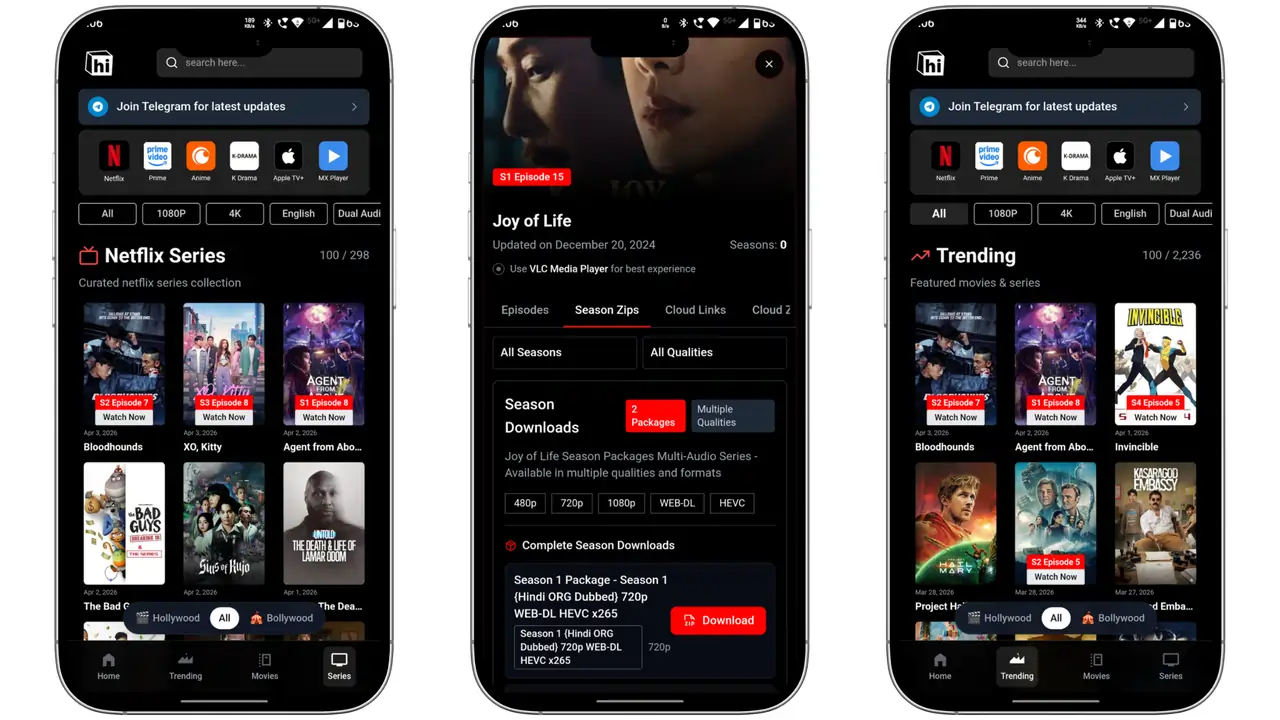
The app has a clean, simple, and user-friendly interface. Everything is well organized and there are various genres and sections in this app where you can explore certain type of content. The navigation is super easy, which lets you explore every corner of the app conveniently and access all features with a few taps without unnecessary complexity. The app’s clean, straightforward layout helps you quickly find movies and shows, saving time on learning.
No Annoying Ads
Random and frequent ad pop-ups in the middle of the entertainment could be quite annoying. Hicine eliminates all these annoying ads from the app to serve you an uninterrupted viewing experience. It ensures users have a great experience while watching their favourite movies and TV shows without having to face annoying ads anymore.
Multilingual Subtitle
It ensures you can watch movies and TV shows from across the world with subtitle support in your preferred language, irrespective of the content’s language. Subtitles are usually available in multiple languages, making it super easy for you to follow dialogues and storylines even if you can not understand the language of the movie, especially useful when watching Japanese Anime and K-Dramas. This lets you explore worldwide movies without language barrier.
External Media Player Support
Although Hicine comes with an integrated media player, when you download videos to watch offline, it recommends using VLC Media Player. To watch movies and shows that you’ve downloaded, you’ll connect Hicine to VLC. This media player then offers an enhanced viewing experience with features like adjustable playback speed, sound equalization, casting, screen lock, scene capture, video cropping, and Picture-in-Picture (PiP) for multitasking.
Create Watchlist
Hicine lets you create your own watchlist. Here, you can add movies and TV shows that interest you. This feature is helpful for quickly finding your favorite content, saving you from long searches. To add an item, simply tap any movie or show. Below the video, you’ll find an option labeled “Add List”; tap it to add the movie to your watchlist. Later, you can simply tap, open, and watch movies and shows anytime directly from your list.
FAQs
Conclusion
In an era where platforms like Netflix and Disney+ demand monthly subscriptions to watch movies and still show ads in some cases, you can still get a smooth watching experience without ad interruption for free of cost through apps like Hicine, which feels like a true blessing these days. Hicine delivers high-quality content across various genres and categories from around the world, in multiple languages, complete with subtitles, all completely free. However, since it is a third-party platform, it may pose security risks. To address this, use a good VPN to remain untraceable and download the app only from a safe source.